XR & Digital Twins / Rendering & GPU / Math · 2024 — present · In development
TEM Lab Digital Twin
A VR digital twin of LSU's transmission electron microscope that shows trainees the electron beam inside the column as they work the controls.
- Role
- Technical artist & tool developer
- Team
- Team of 6
- Context
- LSU research project
- Timeline
- 2024 — present
- Status
- In development
Highlights
- Electron-beam simulation inside a cut-away microscope column, driven by the real controls
- Beam maths built from reflection and rotation matrices in C++, then rendered with Niagara
- An artist-friendly labelling system for every part of the microscope
- Runs standalone on Meta Quest 3
Overview
A transmission electron microscope is a rare and expensive instrument, and training new PhD students on it is slow and risky. LSU asked us to build a digital twin in VR so trainees can learn the instrument safely, with visual feedback that the real machine can't give: what's happening inside the column when they turn a knob.
I've been on the team of six since 2024 as a technical artist and tool developer, and built two systems so far.
Electron-beam simulation
The virtual world lets us do something impossible with the real microscope — cut it in half. The simulation shows the electron beam travelling through the column and responding as trainees switch modes and adjust controls, while staying faithful to how the instrument actually behaves.
I built it in C++ from the maths up: angle-to-vector conversion to distribute rays evenly around the beam axis, a cone spread, rotation matrices about the column's axes, and reflection.
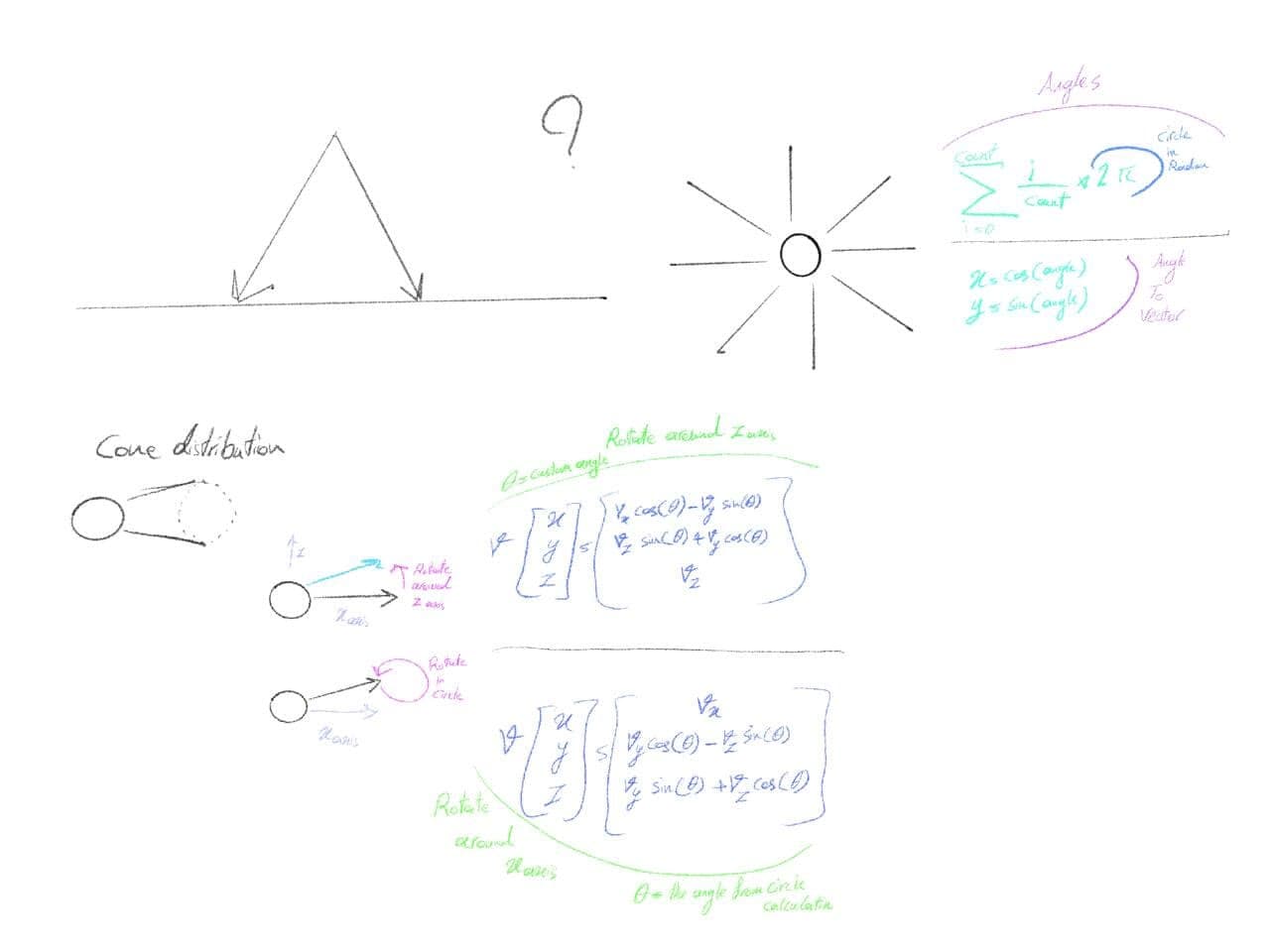
The first version was prototyped with editor debug tools and buttons so the researchers could validate the behaviour. After their feedback, I rebuilt the visual side with Niagara particle effects so it runs on Meta Quest 3 headsets.
Labelling the instrument
The second system is a UI widget that labels each part of the microscope. It's built so artists can add and rename parts quickly without touching code — important on a model with dozens of components that the domain experts keep refining.
Tech
| Engine | Unreal Engine · C++ · Niagara |
| Platform | Meta Quest 3 (standalone VR) |
| Team | Six people, since 2024 |