Tools & Plugins / Math · 2021 · Shipped
Environment Generator
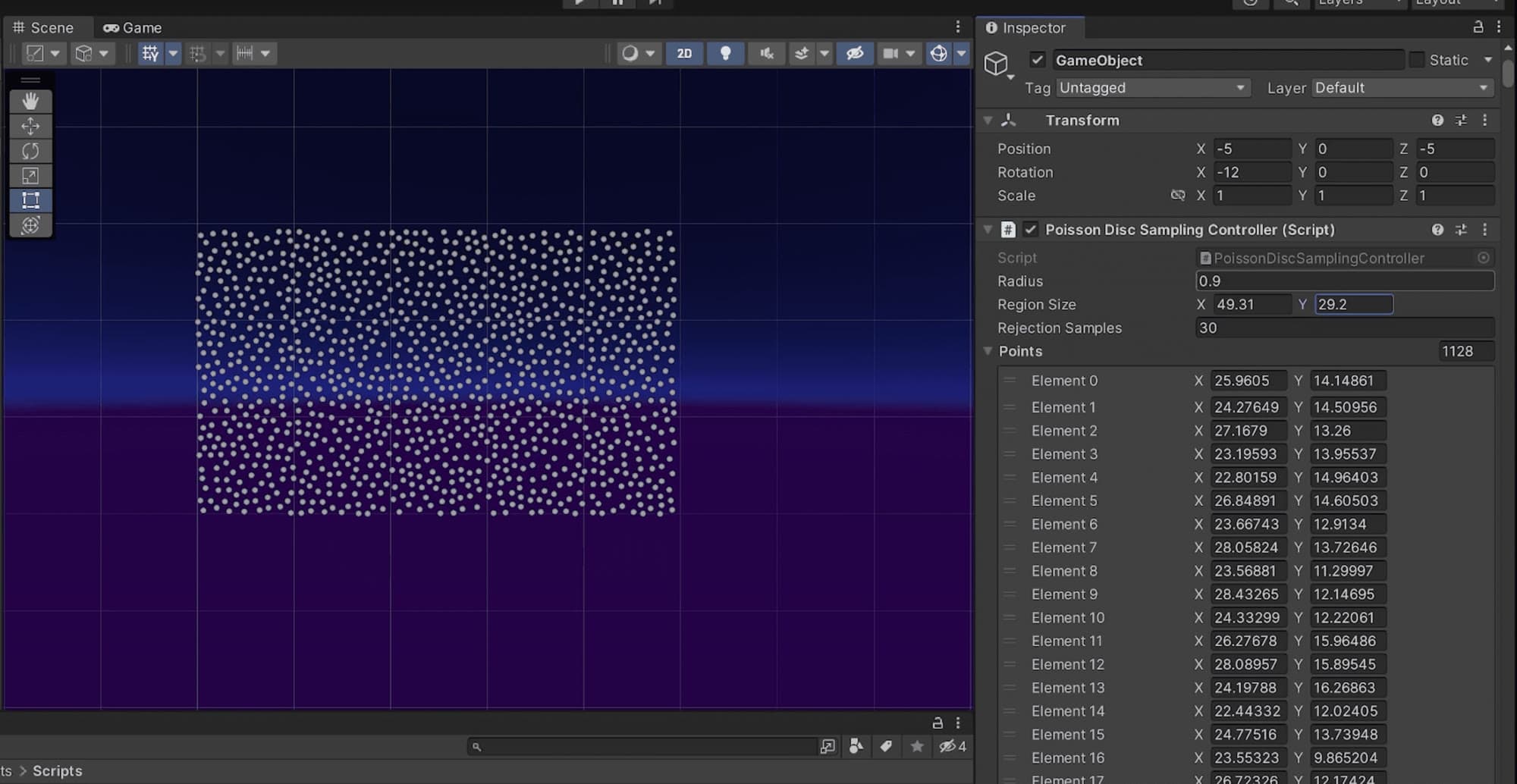
A Unity tool that scatters trees and props with Poisson disk sampling, with live controls for area size, density and the mix of object types.
- Role
- Solo developer
- Team
- Solo
- Context
- Built for Scarecrow: Don't Look Away
- Timeline
- 2021
- Status
- Shipped
Highlights
- Poisson disk sampling with a background grid, so each candidate is checked against at most 25 nearby cells, O(n) instead of O(n²)
- Weighted random selection sets the proportion of each tree and plant type
- Live control of area width, height and object density
- Powers the real-time map editor in Scarecrow: Don't Look Away
Overview
I built this environment generator for Scarecrow: Don't Look Away, where it drives the in-game level editor: players change the map and watch the forest regrow in real time. It distributes trees and plants with Poisson disk sampling, which keeps objects evenly spaced, with no clumps and no overlaps, and is fast enough to regenerate on every slider change.
Challenges
The naive way to keep objects apart is to check each new position against every existing one before placing it. That's O(n²), and it slows down badly on large maps. Poisson disk sampling generates the same kind of evenly spaced point set in O(n), so the generator stays responsive however big the map gets.
Technical breakdown
Points grow outward from the centre of the region. Each step picks a random active point and tries up to 30 candidates in the ring between r and 2r around it. The first valid candidate is accepted and becomes active itself; a point that yields no valid candidate is retired.
The speed comes from a background grid. Its cell size is r/√2, so each cell can hold at most one point, and a candidate only has to be compared with the points in the 5×5 block of cells around it.
public static List<Vector2> GeneratePoint(float radius, Vector2 sampleRegionSize,int numSamplesBeforeRejection = 30)
{
    float cellSize = radius / Mathf.Sqrt(2);
    grid = new int[Mathf.CeilToInt(sampleRegionSize.x / cellSize),
        Mathf.CeilToInt( sampleRegionSize.y / cellSize)];
    List<Vector2> points = new List<Vector2>();
    List<Vector2> spawnPoints = new List<Vector2>();
    spawnPoints.Add(sampleRegionSize/2);
    while (spawnPoints.Count > 0 )
    {
        int spawnIndex = Random.Range(0, spawnPoints.Count);
        Vector2 spawnCenter = spawnPoints[spawnIndex];
        bool candidateAccepted = false;
        for (int i = 0; i < numSamplesBeforeRejection; i++)
        {
            float angle = Random.value * Mathf.PI * 2;
            Vector2 dir = new Vector2(Mathf.Sin(angle), Mathf.Cos(angle));
            Vector2 candidate = spawnCenter + dir * Random.Range(radius, 2 * radius);
            if (isValid(candidate,sampleRegionSize,cellSize,radius,points,grid))
            {
                points.Add(candidate);
                spawnPoints.Add(candidate);
                grid[(int) (candidate.x / cellSize), (int) (candidate.y / cellSize)] = points.Count;
                candidateAccepted = true;
                break;
            }
        }
        if (!candidateAccepted)
        {
            spawnPoints.RemoveAt(spawnIndex);
        }
    }
    return points;
}
static bool isValid(Vector2 candidate, Vector2 sampleRegionSize, float cellSize,float radius, List<Vector2> points, int[,] grid)
{
    // ... returns false if the candidate is outside the sample region
    int cellX = (int) (candidate.x / cellSize);
    int cellY = (int) (candidate.y / cellSize);
    int searchStartX = Mathf.Max(0, cellX - 2); // Math.Max so it never goes below zero!
    int searchEndX = Mathf.Min(cellX + 2, grid.GetLength(0) - 1); // Math.Min so it never goes over our grid size!
    int searchStartY = Mathf.Max(0, cellY - 2);
    int searchEndY = Mathf.Min(cellY + 2, grid.GetLength(1) - 1);
    for (int x = searchStartX; x <= searchEndX; x++)
    {
        for (int y = searchStartY; y <= searchEndY; y++)
        {
            int pointIndex = grid[x, y] - 1;
            if (pointIndex != -1)
            {
                float sqrDst = (candidate - points[pointIndex]).sqrMagnitude;
                if (sqrDst<radius*radius)
                {
                    return false;
                }
            }
        }
    }
    return true;
}
Customization
For each sampled point, the generator picks an object by weighted random selection, so you control the proportion of each tree or plant type. A configurable number of points is reserved for special objects. In Scarecrow, those are the trees that hold collectibles. You can also set the width and height of the distribution area and the density of objects, which gives full control over the layout and look of the environment.
Videos01
Poisson Disk Sampling Demo
Gallery03
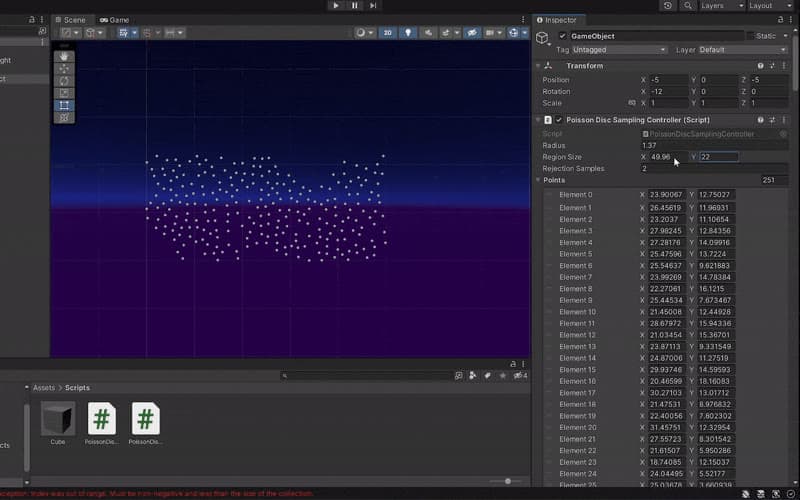
Poisson disk sampling in the editor 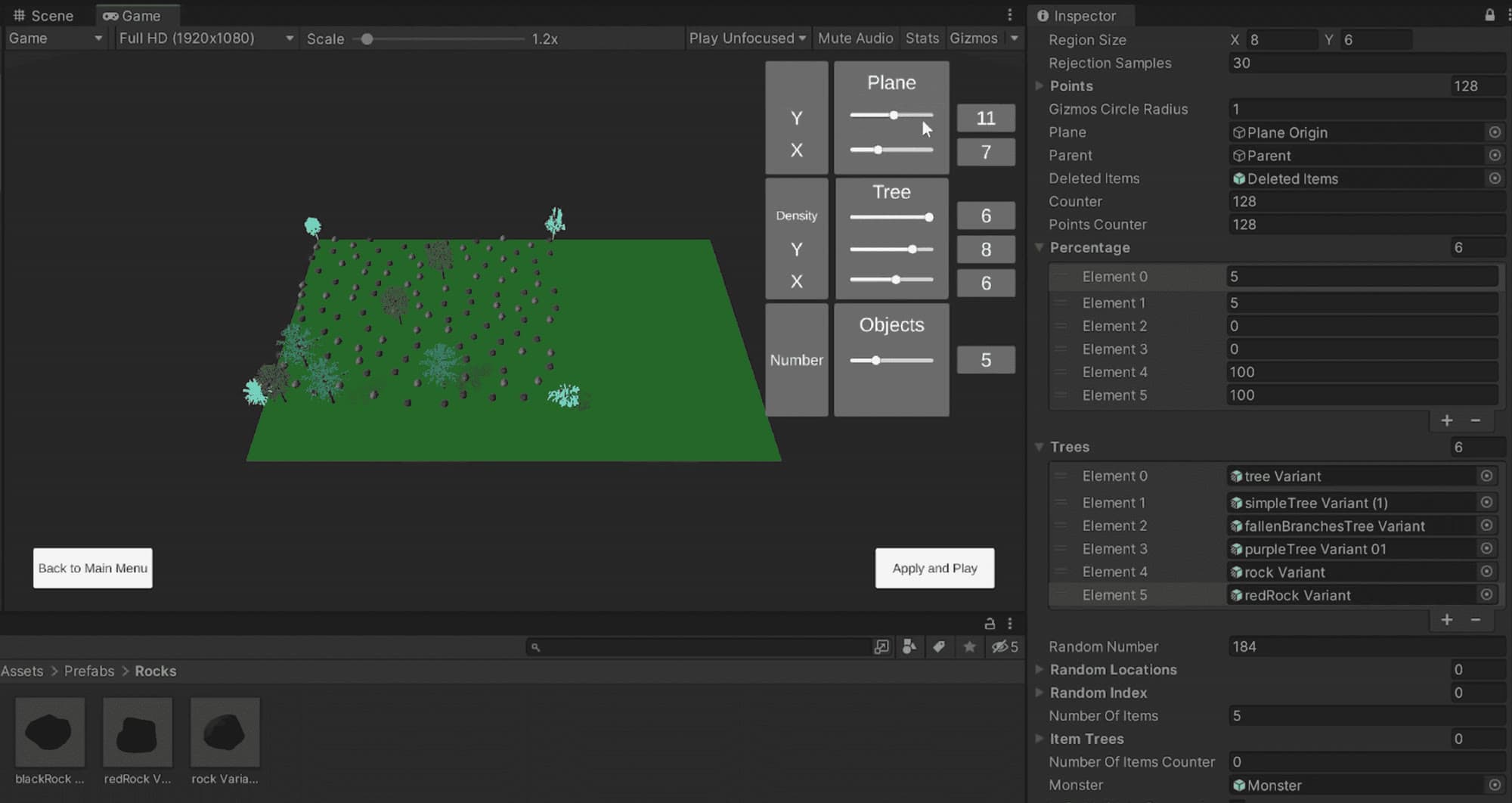
The level editor built on the generator