XR & Digital Twins · 2022 · Shipped
House Simulation 1
An interactive Unity digital twin of a 110 m² house in Niavaran, Tehran, where visitors explore the rooms, sit in any chair and pick up objects.
- Role
- Main developer & programmer
- Team
- Team of 3
- Timeline
- 2022
- Status
- Shipped
- Stack
Highlights
- Smooth camera tours through the house along Cinemachine paths
- One short sitting script that works with any chair, using a custom Sitable layer
- A universal pickup script for objects of any size and rotation, with picture albums turned to face the player
- A lighting setup with point, spot and area lights plus reflection probes
Overview
An interactive digital twin of a modernised house in Niavaran, Tehran, built for architectural visualization. The 110 m² model covers the kitchen, TV room and living room. Visitors can pick up household objects like candles, forks and flowers, or sit in different chairs to experience the space from different viewpoints.
We were a team of three, and I was the main developer and programmer.
What I built
- Camera movement. Smooth transitions between areas of the house, using Cinemachine smooth paths.
- Sitting. A short, general script lets the player sit in any chair and switch between chairs. Sittable objects are identified by a custom
Sitablelayer, so it scales to different chair types without extra code. - Picking up objects. One universal pickup script handles objects of different sizes and rotations. Picture albums are a special case: they turn to face the player when picked up, so the photos are easy to see.
- Lighting. Point lights for small sources like lamps, spotlights for ceiling lights, area lights for daylight coming through the windows, and reflection probes for more realistic reflections on surfaces.
- UI. A simple circular menu that fits the modern interior. It lets players choose actions like sitting or picking up, and leaves room for more actions later. The radial layout was inspired by GTA V and The Sims.
Technical breakdown
UI buttons and interaction logic are decoupled with C# delegates. The button controller raises onSitClicked or onPickClicked, and the sitting and pickup components subscribe in OnEnable and unsubscribe in OnDisable. The pickup component then places a copy of the object in front of the camera, using the object's layer to choose how to orient it:
private void OnEnable()
{
    InsideGameButtonController.onPickClicked += PickingObject;
}
private void OnDisable()
{
    InsideGameButtonController.onPickClicked-= PickingObject;
}
void PickingObject()
{
    GameStates.isHandFull = true;
    pickingCanvas.SetActive(true);
    Transform parentOfLookTransform = PlayerLook.objectPicked.transform.parent.transform;
    GameObject inFront = Instantiate(PlayerLook.objectPicked, Vector3.one, Quaternion.identity);
    if (PlayerLook.objectPicked.gameObject.layer == LayerMask.NameToLayer("Collectable"))
    {
        inFront.transform.parent = inFrontOfCamera.transform;
        inFront.transform.localPosition = Vector3.zero;
        inFront.transform.localEulerAngles = new Vector3(parentOfLookTransform.localEulerAngles.x-parentOfLookTransform.localEulerAngles.y,0,0);
    }
    else if (PlayerLook.objectPicked.gameObject.layer == LayerMask.NameToLayer("CollectablePicture"))
    {
        inFront.transform.parent = inFrontOfCamera.transform;
        inFront.transform.localPosition = Vector3.zero;
        inFront.transform.localEulerAngles = new Vector3(0,180,0);
    }
    PlayerLook.objectPicked.SetActive(false);
}
Reference
Windows build, available on itch.io. Built with Unity's Cinemachine package. The follow-up, House Simulation 2, adds colour customization to the same approach.
Videos04
House Simulation 1 -Sitting
House Simulation 1 - Picking
House Simulation 1 -UI
House Simulation 1 - Short
Gallery07
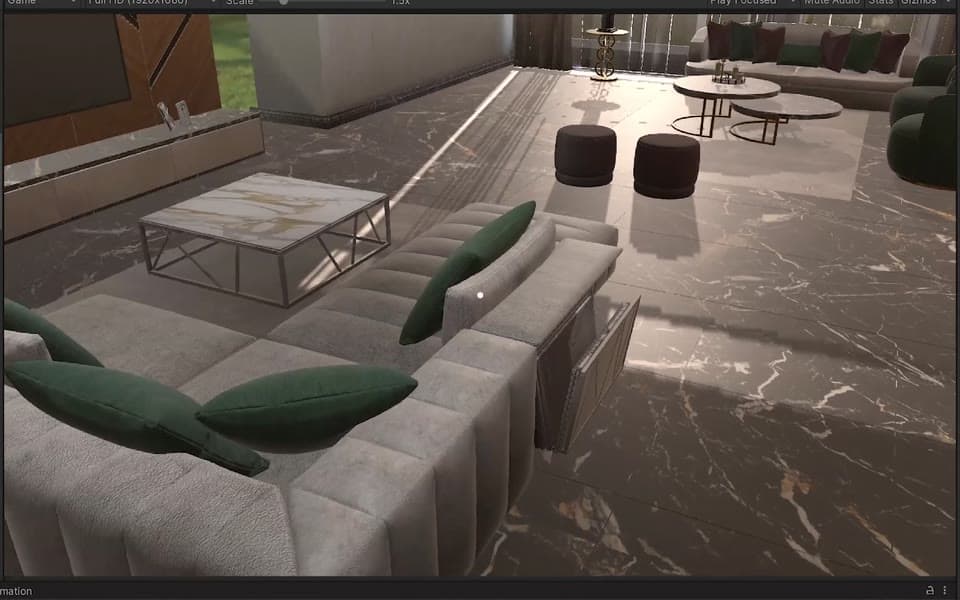
Sitting interaction 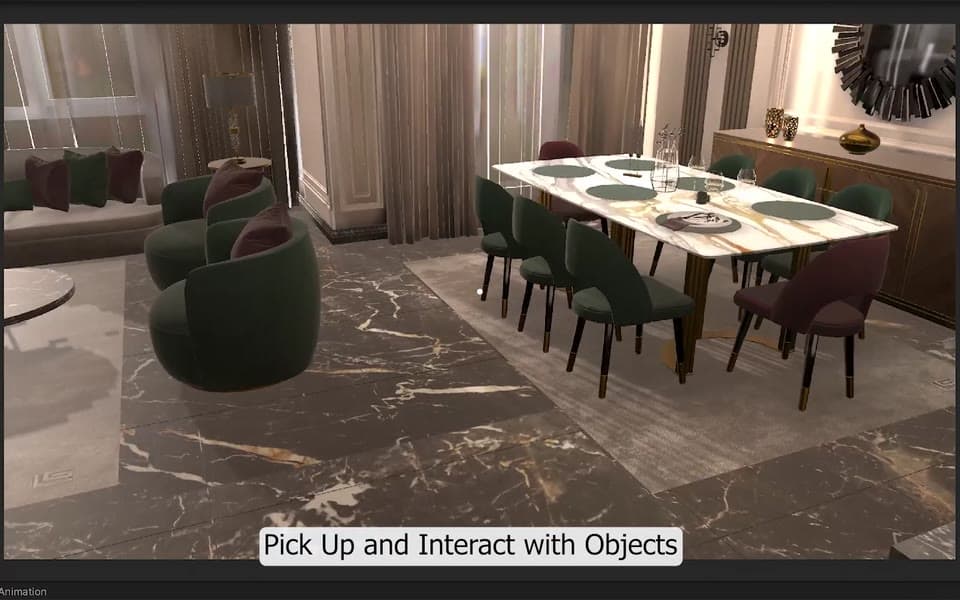
Picking up objects 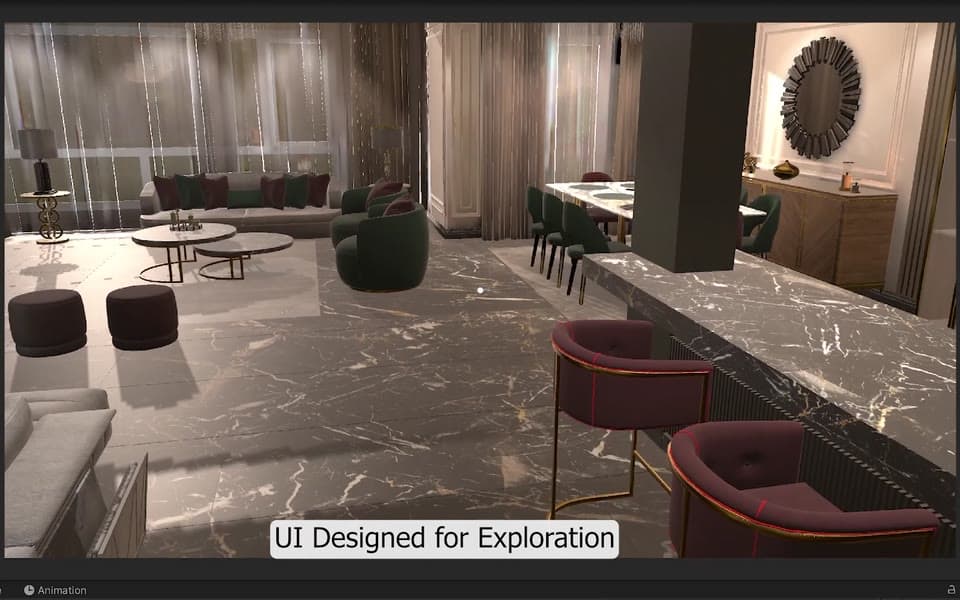
Radial interaction menu 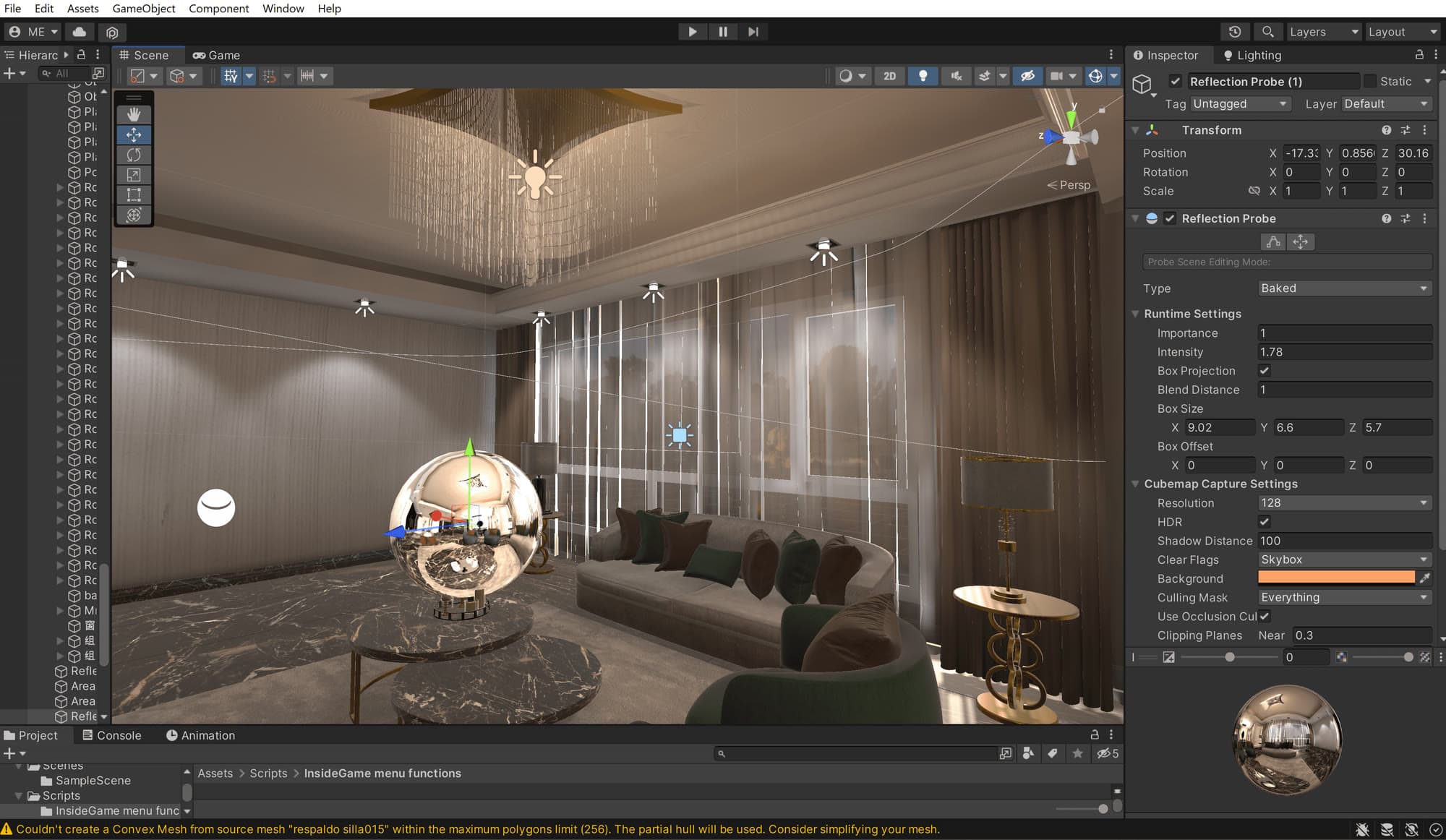
Reflection probes for realistic reflections 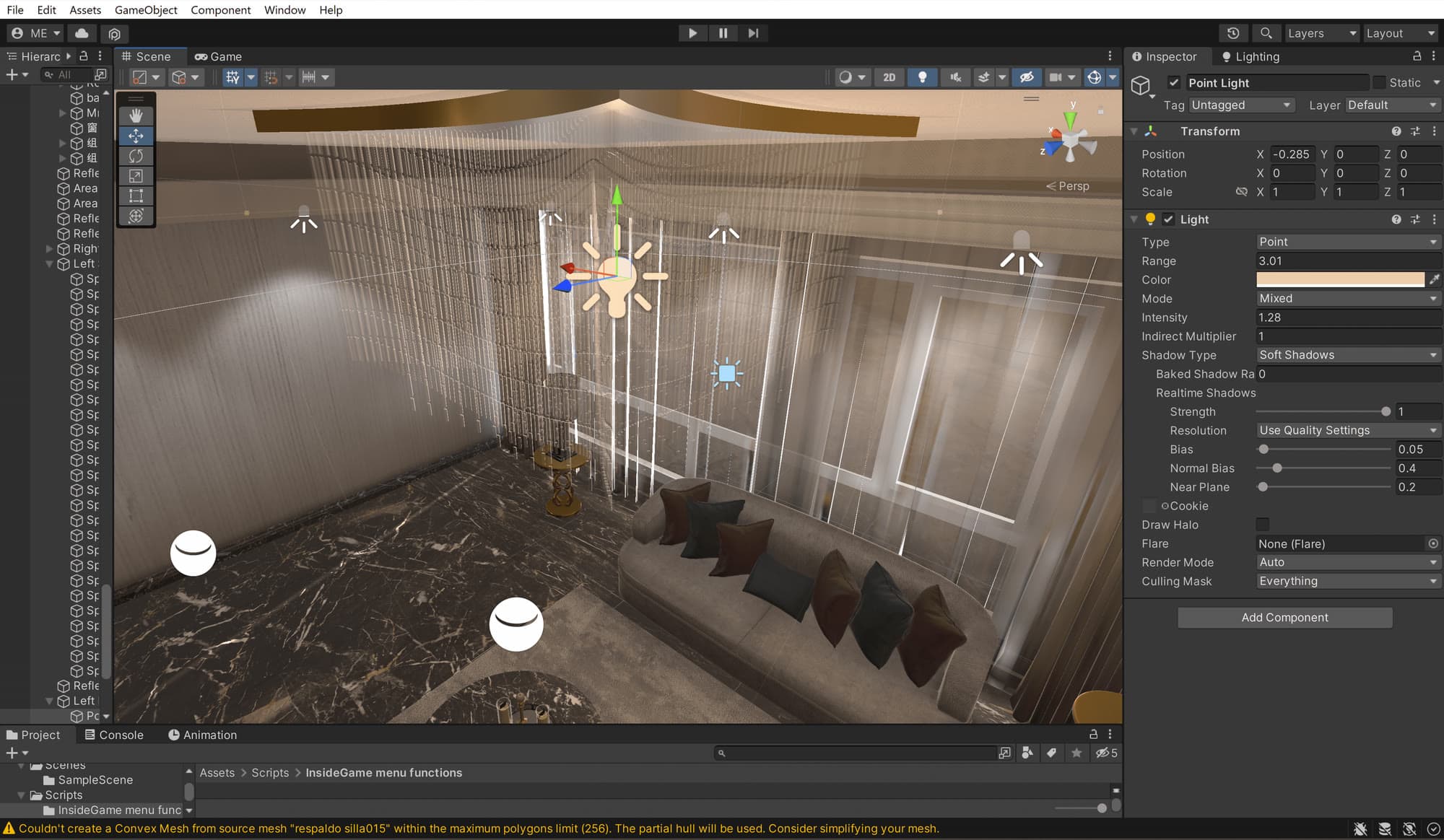
Point lights for small light sources 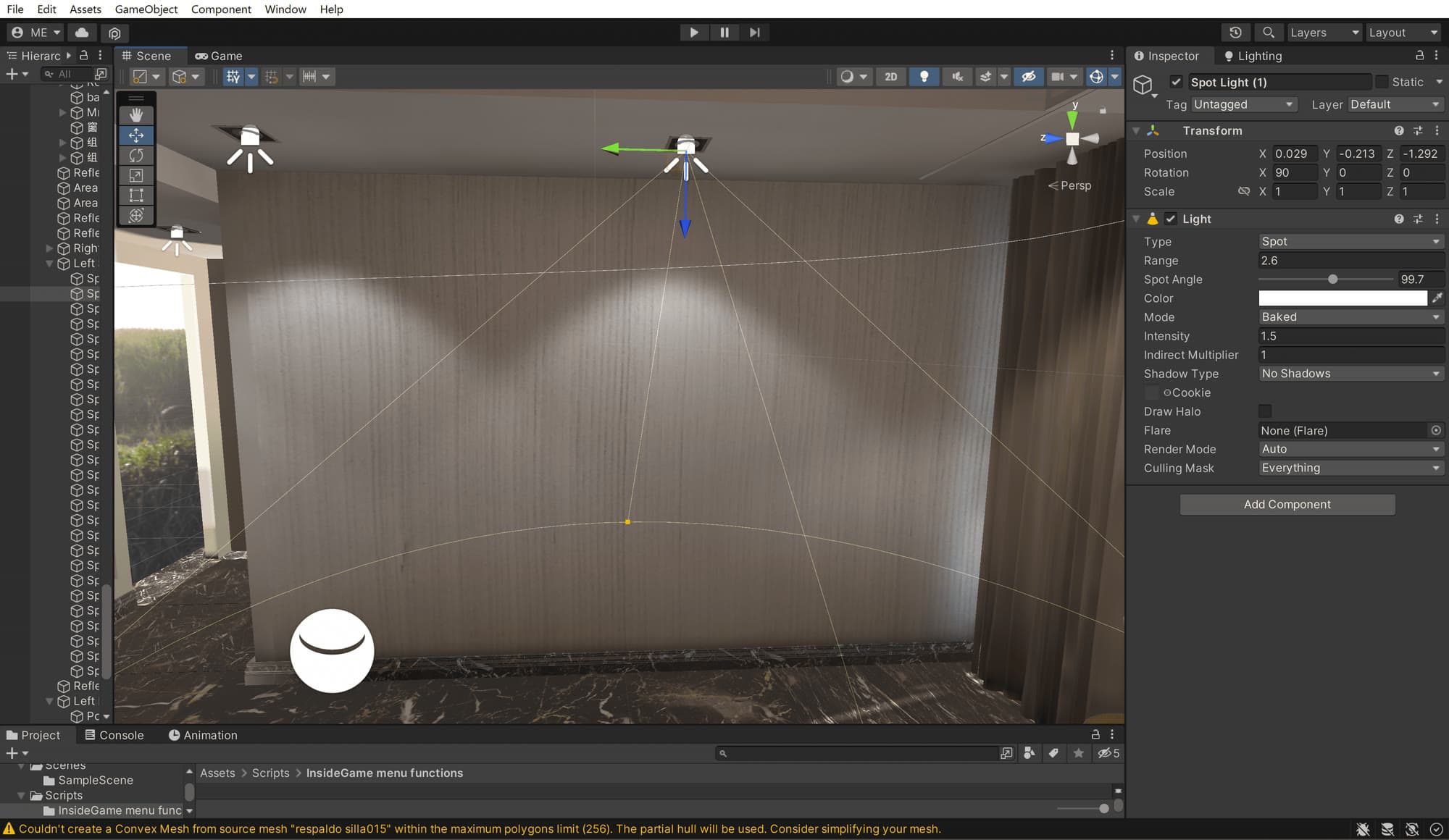
Spotlights for ceiling lights 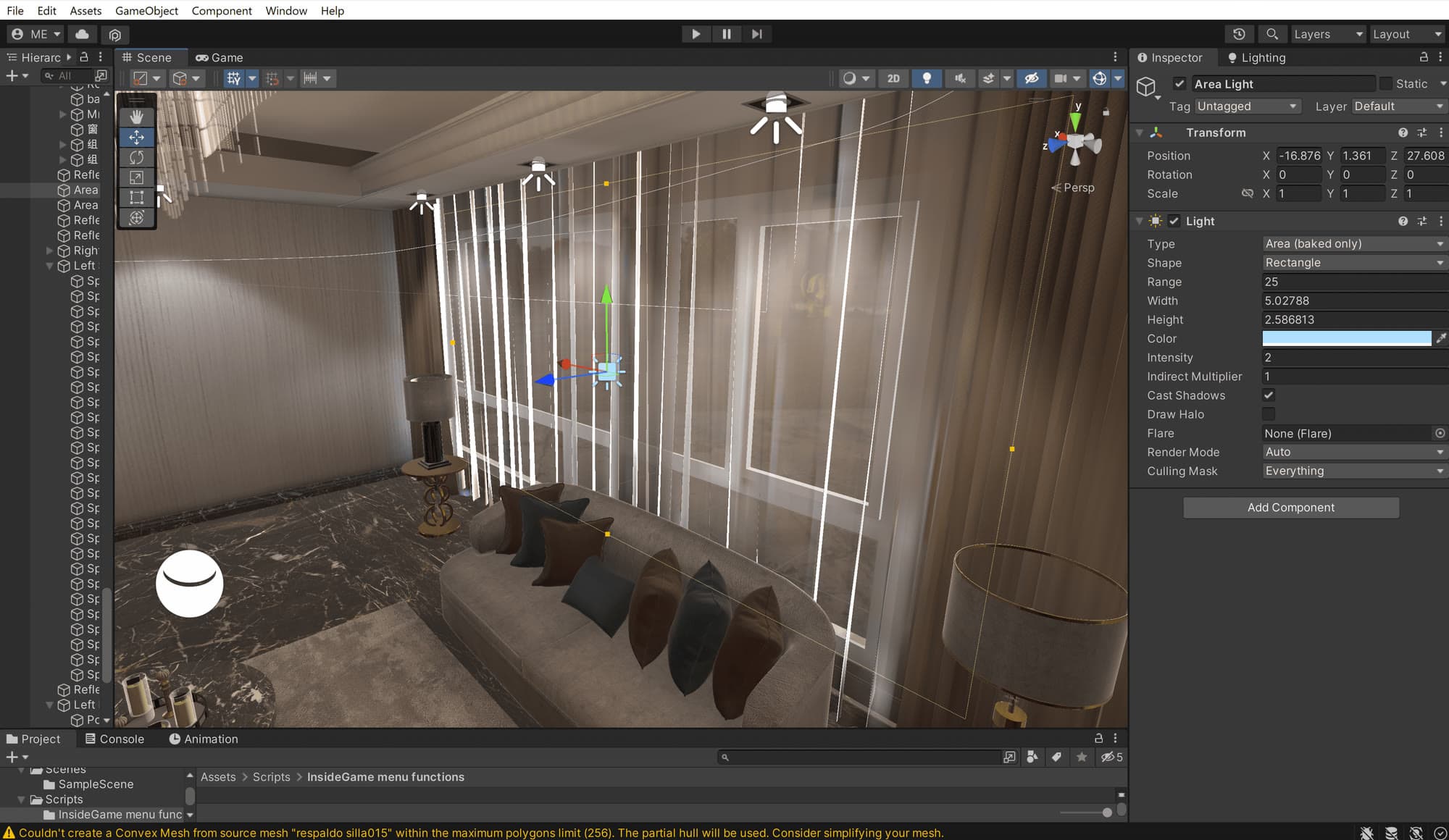
Area lights for daylight from the windows