Games / Tools & Plugins / Technical Art · 2023 — 2025 · Shipped
Verocity
A multiplayer cyberpunk kart racer released on Steam — I built its race-ranking, minimap and slope-physics systems as reusable C++ plugins.
- Role
- Technical artist & tool developer
- Team
- Team of 10
- Context
- Graduate game production course
- Timeline
- 2023 — 2025
- Status
- Shipped
Highlights
- Real-time race ranking on a dedicated multiplayer server, driven by spline distance
- A minimap that turns a 3D bounding box into a 2D widget, with auto-generated map texture
- Slope-aware movement that speeds players up downhill and slows them uphill
- Both systems packaged as drag-and-drop UE5 plugins for non-programmers
Overview
Verocity is a futuristic multiplayer racing game set in a cyberpunk city of the same name — think Mario Kart with character abilities and track items. It was built by a team of ten over two years in a graduate game-production course and released on Steam.
I worked as a technical artist and tool developer. My job was the systems that sit between design and code: things artists can place, resize and forget, that still behave correctly under multiplayer replication.
Player placement
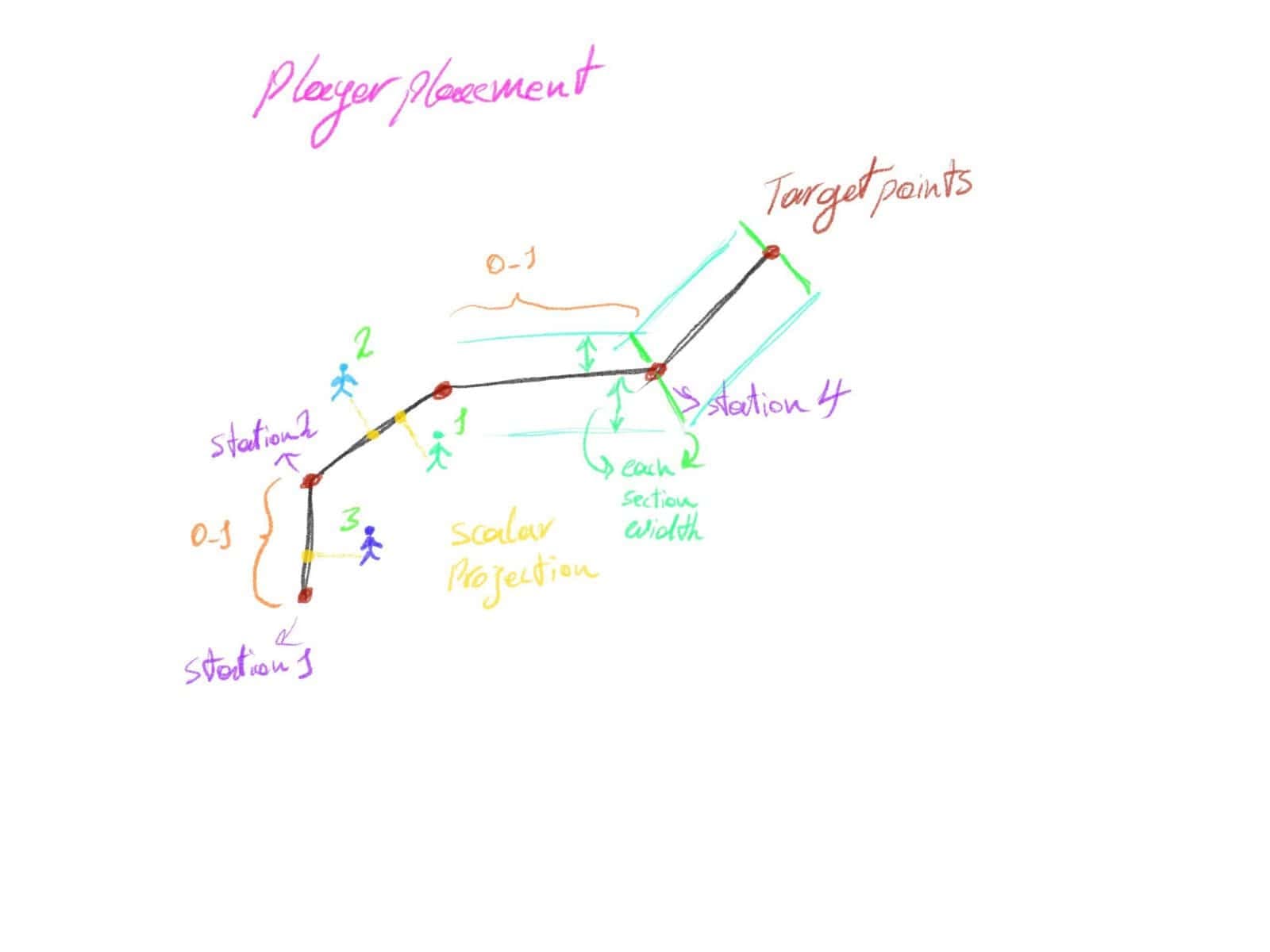
Every racing game needs to know who's in first. My first version used straight vector maths — dot products and scalar projection against hand-placed target points. It worked, but it fought the art team: every track change meant re-placing points and matching their width to the road, and curves needed dozens of closely spaced points because the projection only works on straight segments.
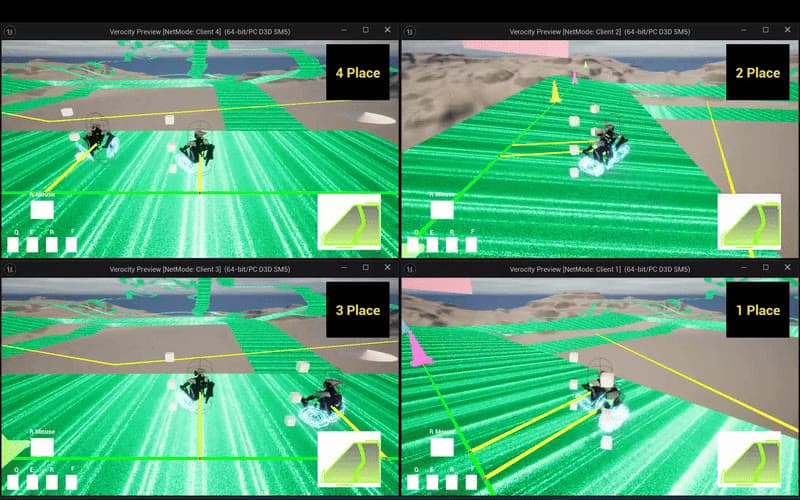
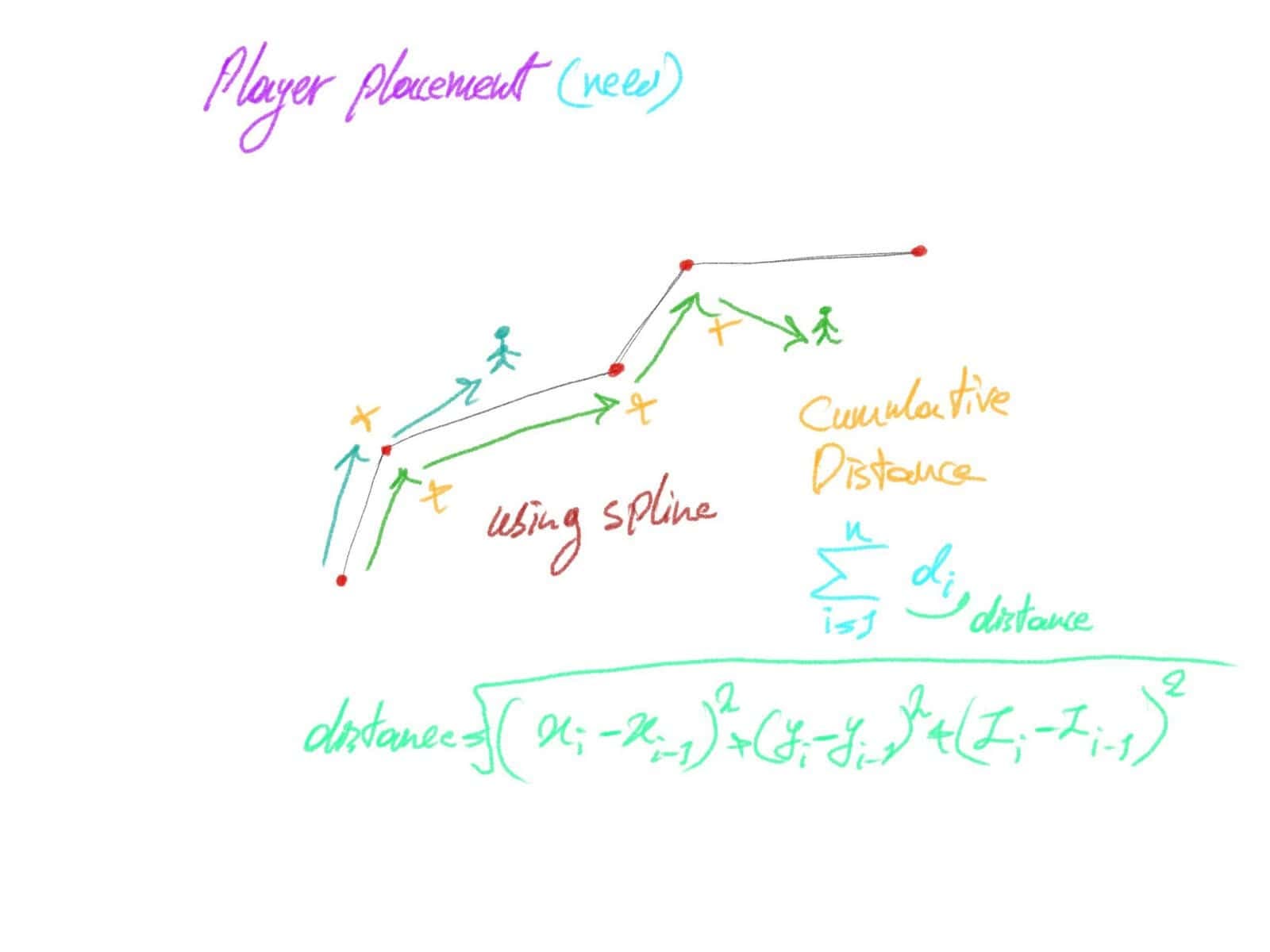
After studying how shipped racing games handle ranking, I replaced it with a cumulative distance along a spline. It's cheaper, easier to read, and the curve problem simply disappears: artists drop a spline down the track in seconds and the system works on any map, including ones that don't exist yet.
float UCPP_RankingManagerComponent::GetPlayerDistanceAlongSpline(AActor* InPlayerActor,USplineComponent* InSplineComponent)
{

	FVector PlayerLocation = InPlayerActor->GetActorLocation();

	// Find the closest distance along the spline to the player's location
	float DistanceAlongSpline = InSplineComponent->FindInputKeyClosestToWorldLocation(PlayerLocation); // find the nearest point on the spline to the player
	float SplineDistance = InSplineComponent->GetDistanceAlongSplineAtSplineInputKey(DistanceAlongSpline); // retuning the cumulative distance along the spline at that point

	return SplineDistance;
}
float UCPP_RankingManagerComponent::GetPlayerProgressPercent(AActor* InPlayerActor,USplineComponent* InSplineComponent, float InTrackLength )
{
	float PlayerDistance = GetPlayerDistanceAlongSpline(InPlayerActor,InSplineComponent);
	if (InTrackLength <= 0.0f)
	{
		return 0.0f; // Prevent divide-by-zero
	}
	float Progress = (PlayerDistance / InTrackLength) * 100.0f;
	return FMath::Clamp(Progress, 0.0f, 100.0f); // Ensure it stays in range
Ranking runs only on the server, which sorts players by distance and pushes the result to each player's display component:
void UCPP_RankingManagerComponent::CalculatePlayerPlacements(TArray<FPlayerInfo>& InOutFPlayerInfos,TArray<AActor*> InFoundPlayerActors,USplineComponent* InSplineComponent, float InTrackLength)
{

	InOutFPlayerInfos.Empty();
	for (AActor* PlayerActor : InFoundPlayerActors)
	{
		float PlayerDistance = GetPlayerDistanceAlongSpline(PlayerActor,InSplineComponent);
		float PlayerProgress = GetPlayerProgressPercent(PlayerActor,InSplineComponent,InTrackLength);

		InOutFPlayerInfos.Add(FPlayerInfo{PlayerActor, PlayerDistance,PlayerProgress});
	}

	// Sort players by their distance along the spline
	InOutFPlayerInfos.Sort([](const FPlayerInfo& A, const FPlayerInfo& B) {
		return A.Distance > B.Distance; // Descending order
	});
Because several developers worked in the same project, I wrapped the system in a component-based C++ module that can be toggled for debugging — important when we were cutting weekly test builds.
Minimap
The minimap converts a 3D bounding box into a 2D UI widget that shows the player and opponents with different icons. Artists adjust it by resizing the box, not by editing numbers. It can also capture the area inside the box and generate a starting texture for the map, and the widget always preserves the texture's aspect ratio so it can be scaled freely without distortion. It's C++ throughout and supports both single-player and multiplayer.
Slope-aware movement
To make the track feel physical, player speed adapts to terrain: faster on descents, slower on climbs. A downward trace reads the surface normal; its dot product with the trace direction tells whether the kart is on a slope, and the cross product with the kart's forward vector tells whether that slope is uphill or downhill.
FVector HitNormal = OutHit.ImpactNormal;
FVector LineTracerV = (Start - End).GetSafeNormal();
// calculation dot product to determine if the character on a slope or not!
dotProduct = FVector::DotProduct(LineTracerV, HitNormal);
if (dotProduct < .99f)
{
    // calculate the cross product to determine whether the slope is downhill or uphill
    CrossProductV = FVector::CrossProduct(LineTracerV, HitNormal);
    CharacterCross = FVector::CrossProduct(GetOwner()->GetActorForwardVector(), CrossProductV);
    if (CharacterCross.Z > 0) // character is going down
    {
        if (CharacterMovement && CharacterMovement->GetMaxSpeed() < 4999)
        {
            CharacterMovement->MaxWalkSpeed = 5000;
        }
    }
    if (CharacterCross.Z < 0) // character is going up
    {
        if (CharacterMovement && CharacterMovement->GetMaxSpeed() > 2501)
        {
            CharacterMovement->MaxWalkSpeed = 2500;
        }
    }
}Results
Verocity shipped on Steam. Afterwards I extracted the ranking and minimap systems into a standalone plugin collection — each with its own demo map for single-player and multiplayer — so artists and non-programmers can drop them into any UE5 project.
Gallery02
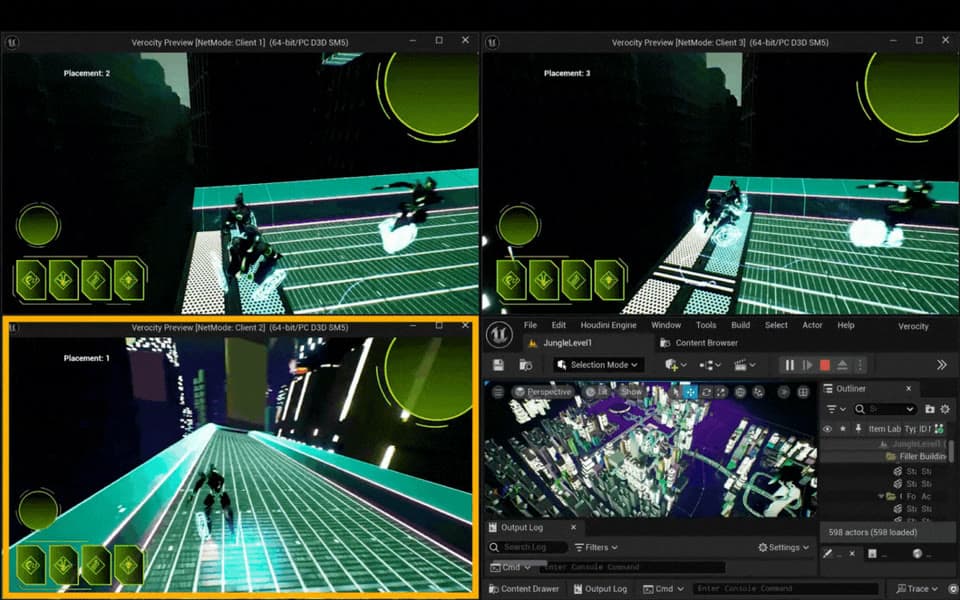
Live placement across three networked clients 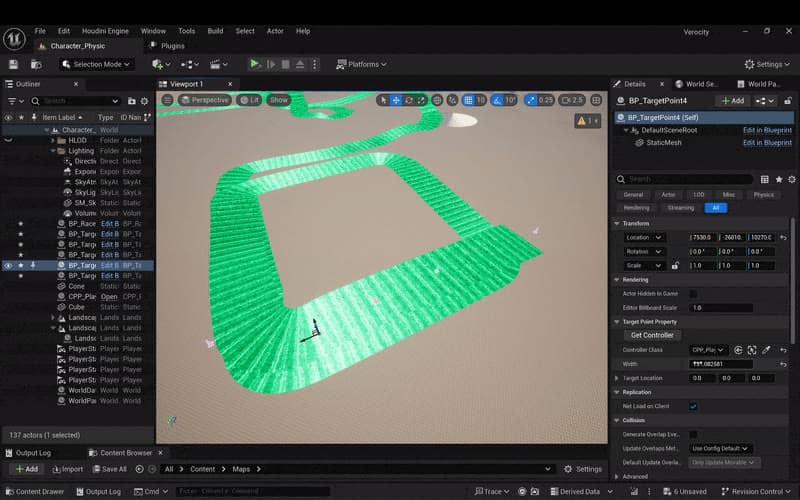
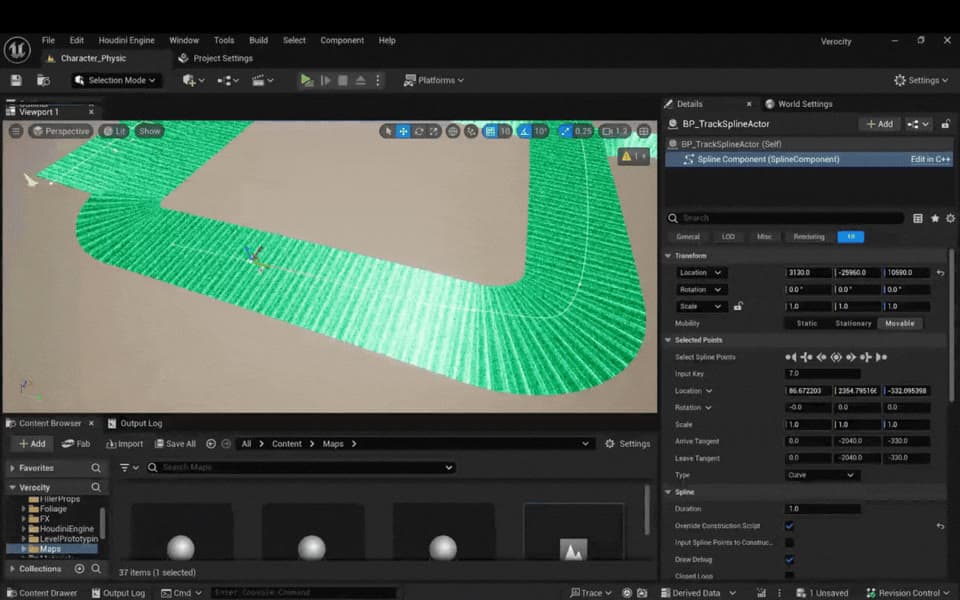
The ranking system in the editor
Repository
A collection of custom Unreal Engine 5 plugins designed for multiplayer racing games.
- C++96.4%
- C#3.6%
- Last push
- Jul 2025