Technical Art / Rendering & GPU / Shaders · 2024 · Shipped
Unity Shader Collection
Hand-written ShaderLab/HLSL effects for Unity's built-in pipeline — vertex displacement, distortion waves, layered stencils, foliage and snow.
- Role
- Solo developer
- Team
- Solo
- Timeline
- 2024
- Status
- Shipped
Pieces05
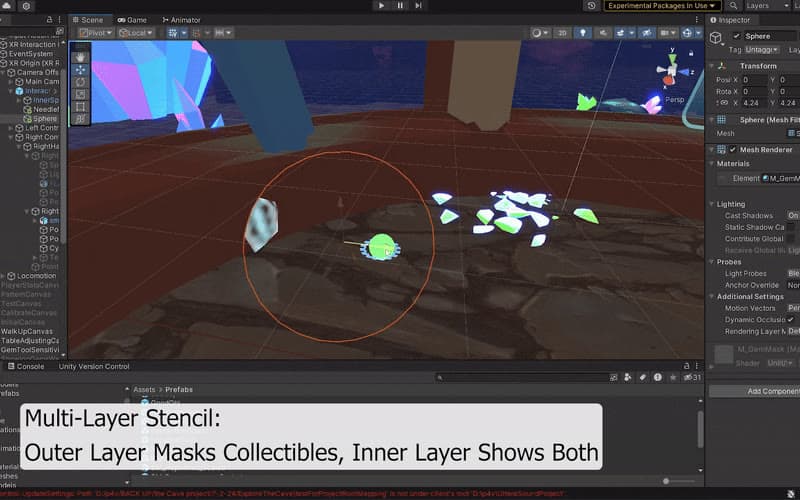
Nested stencil layers
Multi-layer stencil transitions — an outer layer masks collectibles, an inner layer reveals them.
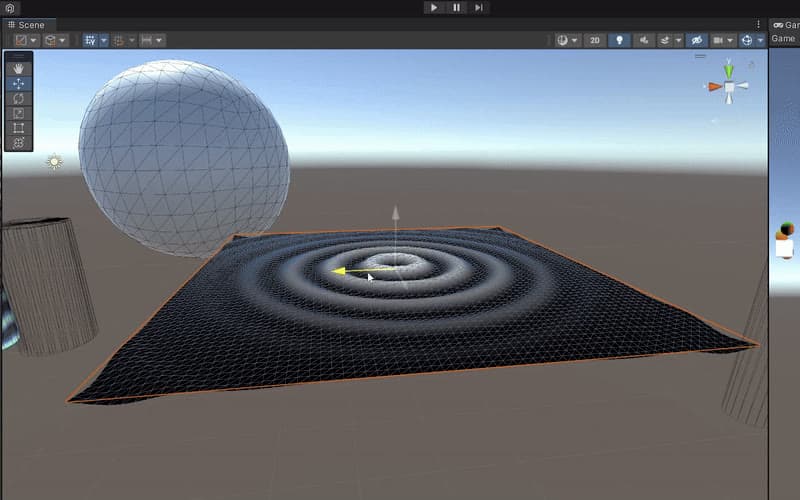
Displacement
Radial cosine waves computed in the vertex shader.
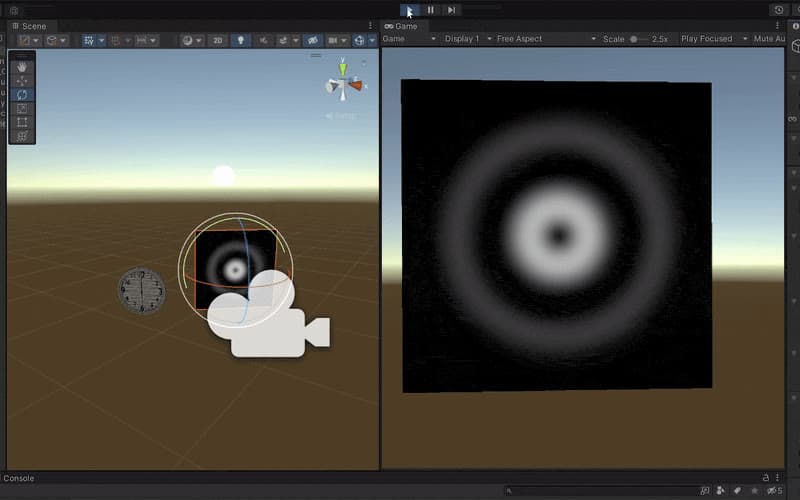
Explosion wave
A distortion wave expanding outwards from a centre point.
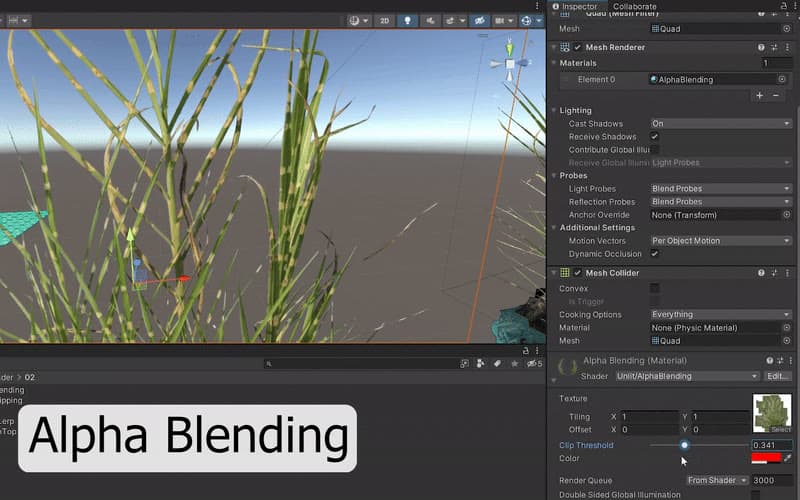
Plants — blending vs clipping
Alpha blending versus alpha clipping for foliage, side by side.
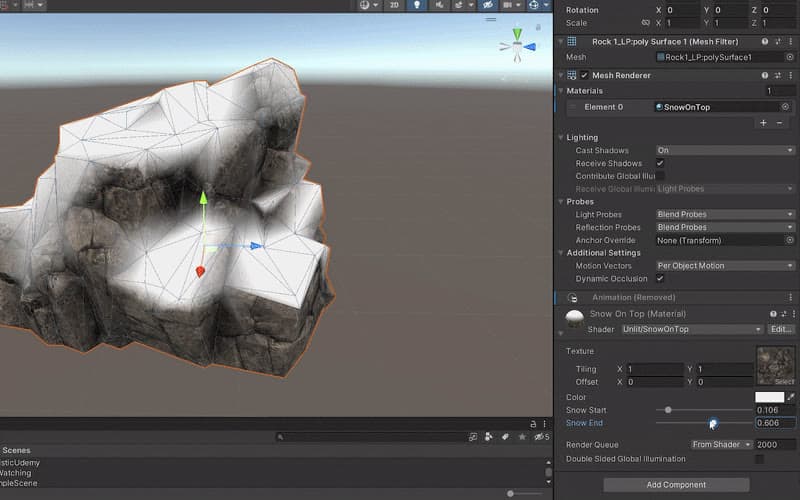
Snow on top
Upward-facing surfaces turn white, with an inverse-lerp blend band between two thresholds.
Overview
A growing collection of shaders written by hand in ShaderLab and HLSL for Unity's built-in render pipeline. Each lives in its own folder with example materials, and a single demo scene previews them all. They're small on purpose — each isolates one idea worth understanding properly. Several of them grew out of production work, like the nested stencil reveal in the ultrasound trainer.
| Shader | Idea |
|---|---|
| Displacement | Vertex displacement from radial cosine waves |
| Explosion wave | A distortion wave expanding from a centre |
| Stencil layers | Multi-layer stencil-buffer transitions |
| Plants | Alpha blending vs alpha clipping for foliage |
| Snow on top | Normal-based snow coverage with a controllable blend band |
| Blend, gradients, math VFX | Compositing modes, UV-driven gradients, math-driven patterns |
Snow on top
Upward-facing surfaces turn white. The world-space normal's Y component says how much a surface faces the sky; an inverse lerp remaps that into a 0–1 blend between two artist-controlled thresholds, so the snow line can be soft or sharp.
float invLerp(float a,float b, float v)
{
    return (v-a)/(b-a);
}

float4 frag (v2f i) : SV_Target
{
    float t = invLerp(_SnowStart,_SnowEnd,i.worldNormal.y);
    t = saturate(t);
    float4 texColor = tex2D(_MainTex,i.uv);
    float4 color = lerp(texColor,_Color,t);
    return color;
}
Displacement
The displacement shader moves vertices in the vertex stage: distance from the UV centre drives a travelling cosine wave, attenuated towards the edges.
float GetWave(float2 uv)
{
    float2 uvCentered= uv*2-1;
    float4 radialDistance = length(uvCentered);
    float4 wave = cos(radialDistance*TAU*5-_Time.y*5)*0.5+0.5;
    wave *= 1-radialDistance;
    return wave;
}

v2f vert (appdata v)
{
    v2f o;

    float wave = cos(v.uv0.x*TAU*5-_Time.y*5);
    float wave2 = sin(v.uv0.y*TAU*5-_Time.y*5);
    //v.vertex.y = wave*wave2*_WaveAmp;

    v.vertex.y = GetWave(v.uv0)*_WaveAmp;
The collection is MIT-licensed — drop the folder into a Unity project, open the demo scene and press play.
Repository
A growing collection of Unity shaders — organized, clean, and ready to play with! Drop it into your project, open the demo scene, and start exploring cool visual effects right away.
- ShaderLab92.5%
- C#7.5%
- Last push
- Jul 2025